

The Canva ceiling is the point where your design work stops improving, even though you’re still producing something every week. You can knock up an Instagram post in four minutes. You can build a flyer before the kettle boils. And yet the better freelance jobs, the studio interviews and the retainer clients keep going to somebody else.
If that sounds familiar, you haven’t failed. You’ve simply hit the Canva ceiling, the edge of what templates can do for a graphic design career in Australia. This guide explains where that edge sits, why it exists, and which skills, tools and training actually get you past it.
We’re not here to bash Canva. It’s a genuinely useful tool and plenty of professional designers open it every week. The point is narrower than that: a tool that hands you finished layouts can’t teach you how to make them, and the people who hire designers pay for the second thing.
What Is the Canva Ceiling?
The Canva ceiling describes the career plateau that happens when your skills depend almost entirely on pre-built templates. Up to that ceiling, progress is quick. You learn the interface, pick a layout, swap the words and photos, then export. Beyond the Canva ceiling, progress stalls, because the hard decisions were quietly made by someone else before you opened the file.
Think of it like cooking from meal kits. You’ll eat well, and you’ll get faster at following the steps. But nobody hires a meal kit assembler as head chef, because the recipe, the sourcing and the technique were never yours.
In graphic design, those invisible decisions are the job, and the Canva ceiling is where they stop being made by you. What should this say first? Where does the eye land? Which typeface fits a family-owned winery in the Barossa but would feel wrong for a fintech startup in Sydney? A template answers those questions before you ask them, which is exactly why it can’t teach you to answer them yourself.
Why Canva Is Brilliant (and Why That Isn’t the Question)
Canva has put design in the hands of hundreds of millions of people: small business owners, teachers, sports clubs, community groups. For quick social posts, internal slides and rough drafts, it’s fast and friendly. Many agencies even build client-editable templates in Canva or Adobe Express so clients can update a menu without calling the studio.
So the real question is never “Canva or no Canva?” It’s whether the Canva ceiling is where your skills end, or Canva is just one tool in a bigger kit. A carpenter owns a nail gun, but the nail gun isn’t what makes them a carpenter.
Seven Signs You’ve Hit the Canva Ceiling
Be honest with yourself. If three or more of these ring true, the Canva ceiling is probably holding your career back.
- A blank artboard makes you nervous. Starting from nothing feels risky, so you scroll templates until something looks close enough.
- Your portfolio looks like everyone else’s. Hiring managers see the same layouts all day and can spot them from across the room.
- You can’t explain your choices. Ask “why this font pairing?” or “why this grid?” and the answer is “it looked nice.”
- Print jobs scare you. Bleed, CMYK, overprint, spot colours and trim marks sound like another language.
- Logo requests go nowhere. A real logo needs clean vector construction and files that scale from a business card to a billboard.
- You can’t repair someone else’s messy file. Layers, masks, smart objects and paragraph styles are a mystery.
- Your rates haven’t moved in a year. Clients treat template work as a commodity, so they price it like one.
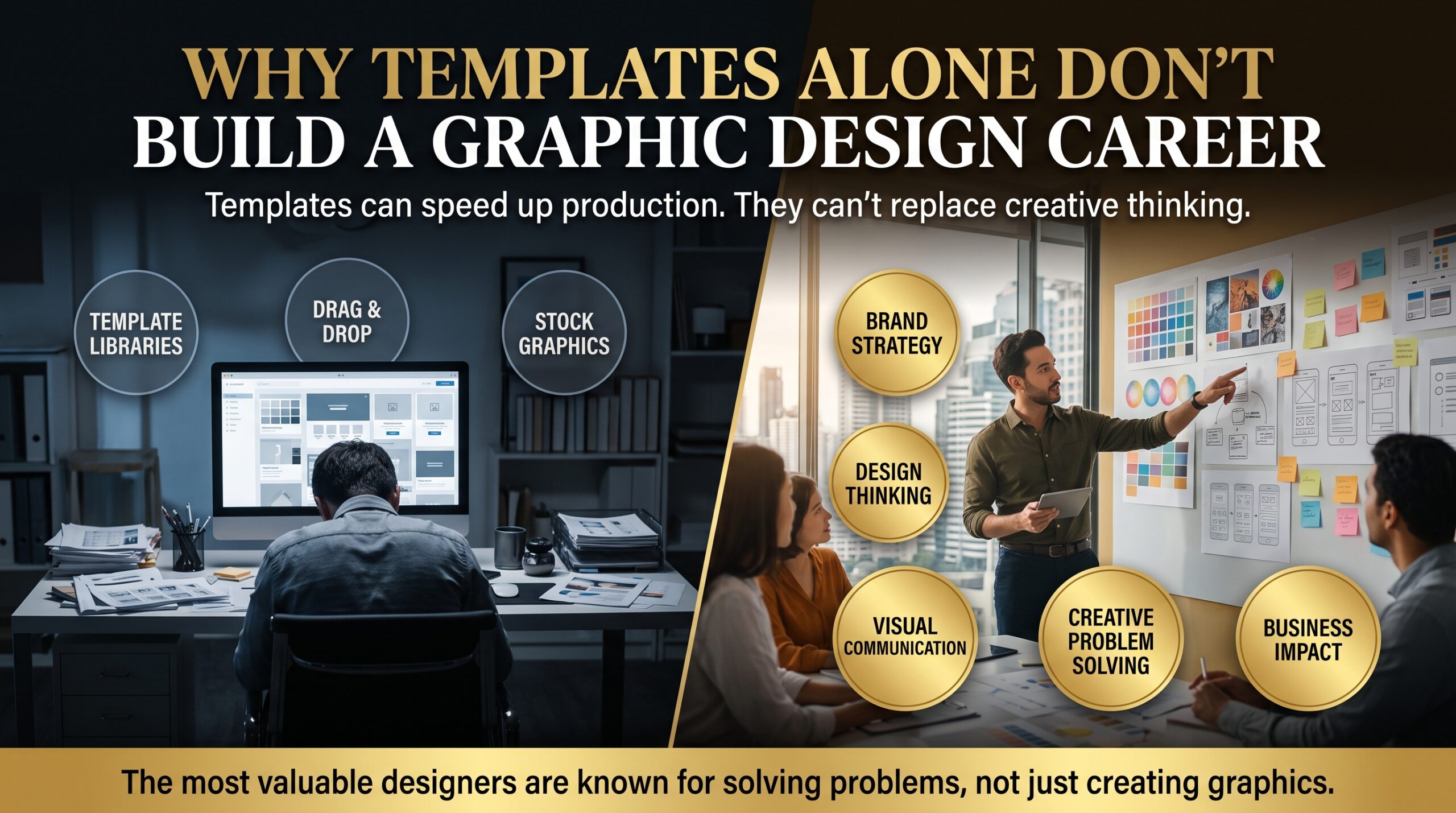
Why Templates Alone Don’t Build a Graphic Design Career

The Canva Ceiling Makes Everyone’s Work Look the Same
When thousands of people start from the same layouts, the results converge. That’s fine for a bake-sale poster. It’s a problem when a client is paying you to help their brand stand out in a crowded market. Differentiation is the whole point of branding, and you can’t differentiate with a layout that ten thousand other people also downloaded this week.
Clients Pay for Thinking, Not Just Output
A business owner rarely wakes up wanting a brochure. They want more enquiries, a clearer message or a better first impression. The designer who asks good questions, reads a creative brief and then builds something to solve that problem is worth far more than the one who simply produces files. Template-based work skips the thinking stage entirely, so it never builds the muscle clients value most.
The Canva Ceiling and AI: Template Work Is Easiest to Automate
Generative tools such as Adobe Firefly and Canva’s own AI features can now produce passable layouts in seconds. If your main value is assembling a layout, you’re competing with software. If your value is judgement, concept and craft, you’re not. The World Economic Forum’s Future of Jobs Report 2025 points to creative thinking and technological literacy as skills employers expect to grow in demand, which is a nudge to build depth rather than speed alone.
Licensing and Ownership Can Get Messy
Templates and stock elements often come with licence terms that restrict how you use them, particularly in logos and trademarks. Before you build a client’s identity on a template, read the licence. Professionals who build marks from scratch in vector software own a cleaner, safer asset, and so do their clients.
What Employers and Clients Actually Pay For
Here’s how template-level skills compare with the professional skills that get designers hired, promoted and rebooked.
| Template-level skill | Professional-level skill | Why it matters |
| Picking a template | Building a layout on a grid | Consistency across multi-page work |
| Swapping fonts | Typographic hierarchy, kerning and pairing | Readability and brand voice |
| Dragging in stock elements | Custom vector logos and illustration | Scalable, ownable brand assets |
| Applying filters | Retouching, masking and compositing | Image quality at print resolution |
| Exporting a PNG | Print-ready PDF, bleed and colour profiles | Avoids expensive reprints |
| Following a trend | Developing a concept from a brief | Solves the client’s real problem |
| One-off posts | Brand systems and style guides | Consistency across every channel |
Canva vs Adobe Photoshop, Illustrator and InDesign
Each tool has a job it does best. Knowing which to reach for is itself a professional skill, and it’s one of the quickest ways to climb past the Canva ceiling.
| Job | Best tool | Why |
| Quick social post or slide draft | Canva | Speed and easy collaboration |
| Photo retouching and compositing | Adobe Photoshop | Layers, masks and pixel-level control |
| Logos, icons and illustration | Adobe Illustrator | Vector artwork that scales without losing quality |
| Brochures, catalogues and reports | Adobe InDesign | Master pages, styles and print-ready long documents |
| Full brand identity | Illustrator + InDesign + Photoshop | A connected system, not a single file |
To climb above the Canva ceiling from scratch, our Photoshop beginner course teaches image editing, layers and retouching. The Illustrator beginner course covers vector logos and icons, and the InDesign beginner course focuses on layout, typography and print preparation. You can see every level on the graphic design courses page.
Skills That Break Through the Canva Ceiling
These seven skills are what separate designers who stay under the Canva ceiling from those who climb above it.
1. Typography
Typography is the fastest upgrade you can make. Learn hierarchy, line spacing, kerning and font pairing. Good type makes average layouts look expensive. Bad type makes a great idea look amateur.
2. Layout, Grids and Visual Hierarchy
Grids give you structure, and hierarchy tells the viewer what to read first, second and third. Once you understand both, you stop relying on templates because you can build the layout yourself in minutes.
3. Colour Theory and Colour Management
Screens use RGB. Printers use CMYK. Brand colours often live in Pantone. A designer who understands the difference can avoid the dull, muddy results that surprise so many beginners when a file hits the press.
4. Vector Logo and Identity Design
Vector graphics are built from paths rather than pixels, so they stay sharp at any size. Learning to draw, refine and export logos in Illustrator is the doorway into brand identity work, which is where much of the better-paid design work sits.
5. Image Editing and Compositing
Photoshop is far more than filters. Masking, colour grading, frequency separation and compositing let you build visuals that no template library contains, and that’s exactly the point.
6. Print Production and File Preparation
Knowing how to set up bleed, check overprint and export a press-ready PDF saves clients money and builds trust. Printers love designers who send clean files.
7. Concept Development
Sketch first. Write down the problem, the audience and the single message. Then open the software. Designers who do this produce work that feels intentional, and intention is what separates a career from a hobby.
How to Break Through the Canva Ceiling in 90 Days
You don’t need to throw out everything you know to get past the Canva ceiling. You need a plan that builds new skills on top of what you already do well.
- Days 1 to 30, learn the foundations. Pick one Adobe tool and commit. Start with Photoshop if you work with photos, Illustrator if logos are your goal, or InDesign if you build documents. Structured, instructor-led training beats random tutorials because someone corrects your habits early.
- Days 31 to 60, rebuild your old work. Take three of your best template-based projects and recreate them from a blank artboard. Change the type, rebuild the grid and draw the graphics yourself. The gap between the before and after is your proof of growth.
- Days 61 to 90, publish a portfolio. Choose three to five projects, write a short case study for each (problem, process, result), and share them on Behance or your own site. Employers want to see how you think.
If you want a guided path, our Photoshop intermediate course, Illustrator intermediate course and InDesign intermediate course are designed for people who already know the basics and want professional-level control. For logo and identity specialists, the Illustrator advanced course and Photoshop advanced course take things further.
Graphic Design Courses Across Australian Cities
Design opportunities look a little different from city to city, and so does the best way to train. Our courses, built to take you past the Canva ceiling, run in major cities and Live Virtually, with weekday, weeknight and weekend options.
| City | What the design market tends to need | Course page |
| Sydney | Agencies, corporate marketing teams and a busy startup scene | Graphic design courses Sydney |
| Melbourne | Studios, publishing, retail and a strong creative culture | Graphic design courses Melbourne |
| Brisbane | In-house teams, events, tourism and growing agencies | Graphic design courses Brisbane |
| Perth | Resources, professional services and corporate communications | Graphic design courses Perth |
| Adelaide | Education, government, health and defence-related communications | Graphic design courses Adelaide |
| Canberra | Government, policy and public-sector communications | Graphic design courses Canberra |
Not sure where to begin? Browse the full locations page or contact our team and we’ll point you to the right level. For wider career skills, our parent training provider Logitrain also offers digital marketing courses and a web development job program, which pair well with design if you want to work across campaigns and websites.
If you’re researching the wider industry, the Australian Graphic Design Association is a good place to see how the profession talks about standards, and Jobs and Skills Australia publishes labour market insights that help you understand where creative demand is heading.
Where Canva Still Fits After the Canva Ceiling
Once you’re through the Canva ceiling, Canva doesn’t disappear. It just changes roles. You might use it to hand clients an editable version of a social template, to mock up a quick idea for a meeting, or to produce a high-volume job where speed matters more than craft. The difference is that you’re now choosing it deliberately, with the skills to do the same job in Adobe Photoshop or Illustrator if the brief demands it.
That choice is the real upgrade. Beginners use a tool because it’s the only one they know. Professionals use a tool because it’s the right one.
Canva Ceiling FAQs
Is Canva enough to become a graphic designer in Australia?
Canva is a good starting point, but the Canva ceiling means it’s rarely enough on its own for a full graphic design career. Employers and clients expect skills in typography, layout, brand identity and print production, and most job ads list Adobe Photoshop, Illustrator or InDesign. Canva can sit alongside those skills, not replace them.
Can I get a graphic design job using only Canva?
You might land small freelance or social media jobs, but under the Canva ceiling, studio, agency and in-house design roles usually want proof of deeper skills. A portfolio built on original work in industry-standard software gives you a far stronger case.
Which Adobe tool should I learn first?
It depends on the work you want to do. Choose Photoshop for image editing, Illustrator for logos and illustration, and InDesign for brochures, catalogues and reports. Many designers eventually learn all three.
How long does it take to get good at Adobe software?
With structured training, most beginners can work confidently in a core tool within a matter of weeks. Real fluency takes ongoing practice on real projects, which is why a hands-on course and a portfolio plan work well together.
Do I need a degree to work as a graphic designer?
Not always. Many employers weigh your portfolio and practical skills heavily, although some roles prefer formal qualifications. A short, skills-focused course is a practical way to build both confidence and work samples.
Will AI replace graphic designers?
AI will take over some routine, template-style tasks. It’s less able to replace strategic thinking, taste, client communication and craft. Designers who build those strengths are the ones best placed to use AI as a tool rather than compete with it.
Are your graphic design courses available online?
Yes. Training is available in Adelaide, Brisbane, Canberra, Melbourne, Perth and Sydney, as well as Live Virtually. Check the FAQs page or get in touch for current dates and formats.
Break Through the Canva Ceiling and Build a Career That Lasts
Templates are a fine place to start and a poor place to stop. The designers who build standout careers are the ones who learn why a layout works, can draw something from nothing and can explain their decisions to a client in plain English.
If you’re ready to move past the Canva ceiling, explore our graphic design courses, read more on the design blog, or learn about us. Pick your level, pick your city, and start building skills that no template can hand you.