

Design reduces uncertainty. That one idea explains why a clear invoice gets paid faster, why a tidy café menu sells more flat whites, and why a website with one obvious button beats a gorgeous one nobody can work out. Every time someone looks at something you’ve made, they’re quietly asking a few questions: What is this? Can I trust it? What am I supposed to do next? A good designer answers those questions before the viewer ever has to ask.
Most people think design is about making things look nice. It’s a fair guess, but it misses the point. Looks matter, yet they’re a tool, not the goal. The real goal is confidence. If you’re studying graphic design in Australia, or you’re a business owner in Sydney, Melbourne or Brisbane trying to judge whether your branding is working, learning how design reduces uncertainty will change the way you look at every logo, layout and landing page.
In this guide we’ll unpack what that idea means in practice, the four kinds of doubt every design has to deal with, and how you can build the skills to do it professionally. You can also explore our graphic design courses if you want to turn this thinking into a career.
What Does “Design Reduces Uncertainty” Actually Mean?
Uncertainty is the feeling of not knowing. Not knowing whether a business is legitimate, whether a button is clickable, whether a price includes GST, or whether a form will take two minutes or twenty. Human beings dislike that feeling, and the usual response is to hesitate, to leave, or to ask someone else. Hesitation is expensive for any business.
When we say design reduces uncertainty, we mean that visual choices (layout, colour, type, spacing, imagery, icons and wording) remove guesswork. A well-designed brochure tells you in three seconds what’s being offered. A well-designed app tells you where you are and what happens if you tap. A well-designed logo tells you the business is established enough to care about detail.
This is why experienced designers rarely start with “What looks cool?” They start with “What is the person confused or worried about, and how do we settle that?” It’s a more useful brief, and it’s the thinking behind the best graphic design, UX design and brand identity work you’ll see in Australia today.
The Four Types of Uncertainty Every Design Must Answer
Almost every design problem, from a business card to a banking app, comes down to four questions. If you can name which one you’re solving, the design decisions get much easier.
| Question in the viewer’s mind | What the design should do | Design tools used | Everyday example |
| “What is this?” | Make the purpose obvious at a glance | Headline, hierarchy, imagery, clear labelling | A poster that shows the event name, date and venue before anything else |
| “Can I trust it?” | Signal credibility and care | Consistent branding, clean alignment, quality photography, contrast | A trade business quote that matches the logo, van and website |
| “What do I do next?” | Guide the next action | Calls to action, buttons, spacing, colour emphasis | A landing page with one primary “Book now” button |
| “What if I get it wrong?” | Lower the perceived risk | Plain-language wording, confirmation steps, clear pricing, accessible contrast | A checkout page that shows delivery cost before the final step |
Notice that none of these are about decoration. They’re about helping a human being feel sure. That’s the heart of why design reduces uncertainty, and it’s why strong designers are valued for their judgement as much as their software skills.
How Design Reduces Uncertainty in Everyday Business
You don’t need a huge brand to see this in action. Small, ordinary pieces of design do the heavy lifting every day.
Logos and brand identity
A logo isn’t there to describe a business. It’s there to say “this is the same business you dealt with last time.” Consistency is the point. When the logo, colours and typography stay the same across the website, social media, invoices and shopfront, customers feel they know what to expect. That familiarity is a quiet form of reassurance, and it’s another way design reduces uncertainty inside professional brand identity design.
Websites and landing pages
Visitors decide quickly whether a page is worth their time. Clear headings, sensible spacing and a visible next step reduce the mental effort of working it out. Research from Nielsen Norman Group on the aesthetic-usability effect shows that people tend to see attractive interfaces as easier to use, which means visual polish can lift confidence even before someone clicks anything. Polish won’t fix a confusing page, but it shows how design reduces uncertainty at a glance.
Packaging and print
On a shelf, packaging has seconds to answer “what is this and is it for me?” Clear ingredient panels, readable sizing and obvious product names do more than clever illustration. Print design in InDesign for brochures, menus and reports works the same way: if the reader can scan it, they trust it. Packaging is a daily reminder that design reduces uncertainty at the point of purchase.
Invoices, quotes and proposals
This one gets overlooked. A tidy quote with clear line items, a visible total and an obvious payment method removes the small doubts that delay approval. If you’ve ever paid a messy invoice slowly because you weren’t quite sure it was right, you’ve felt the cost of poor design first-hand. Good invoice design reduces uncertainty for the person paying, and gets you paid sooner.
Visual Hierarchy: The Fastest Way Design Reduces Uncertainty
Visual hierarchy is the order in which the eye moves across a page. When it’s done well, people know where to look first, second and third without thinking. When it’s missing, everything shouts at once and the viewer has to do the sorting.
Here are the levers designers use to build hierarchy, and each one is a way that design reduces uncertainty in practice:
- Size: bigger elements feel more important, so the headline or key offer usually leads.
- Contrast: a bold colour or heavy weight against a quiet background pulls the eye exactly where you want it.
- Spacing: white space groups related items and separates unrelated ones, which tells the brain what belongs together.
- Alignment: a consistent grid makes a layout feel organised, and organised feels dependable.
- Repetition: using the same button style, icon set and heading style teaches viewers the “rules” of your design quickly.
If you’re learning these principles, our Photoshop beginner course and Illustrator beginner course both give you practical, hands-on layout practice rather than just theory.
Colour, Typography and Layout as Trust Signals
Colour and type carry meaning before a single word is read. Deep blues and greens tend to feel calm and stable, which is why they’re common in banking, health and education. Bright, warm colours feel energetic and approachable. Neither is “right”; the point is that the choice should match what the audience needs to feel. Even a font weight can be a small example of how design reduces uncertainty.
Typography is the same. A readable, well-spaced typeface says “we’ve thought about you.” A cramped, mismatched mix of fonts says “this might be rushed.” Accessibility matters here too. Following guidance from the W3C Web Accessibility Initiative on contrast and legibility doesn’t just widen your audience; it removes friction for everyone, which is another way design reduces uncertainty.
Real-World Scenarios: Design Reducing Uncertainty Across Australia
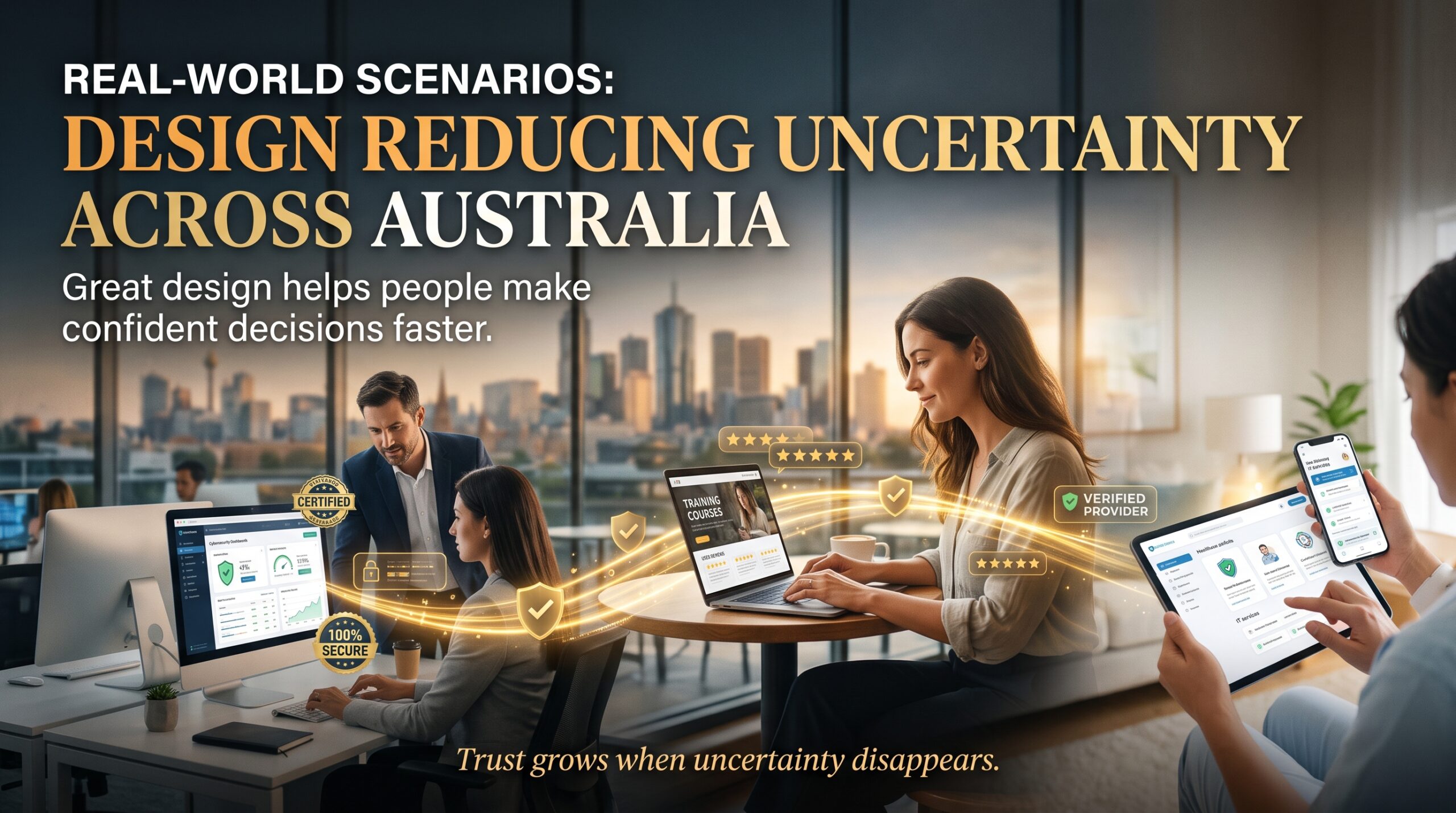
These are everyday examples to show the thinking. They’re illustrative, not case-study claims, but you’ll recognise the patterns.
- A Sydney café menu: moving prices to a consistent column and grouping items by type means customers stop hovering and start ordering.
- A Melbourne tradie’s quote template: adding the licence number, a clear scope section and a simple “Accept quote” step makes the customer feel safe to say yes.
- A Brisbane health provider’s website: a clear service list, visible contact number and plain-language booking steps cut the “will this be complicated?” worry.
- A Perth engineering firm’s safety signage: high-contrast icons and short text mean a worker reads the instruction at a glance, with no room for guessing.
- A Canberra community service’s brochure: an easy-read layout with clear headings helps people find eligibility information without stress.
In each case, the designer’s job wasn’t to “make it pretty.” It was to make the next step feel obvious and safe. That’s the same reason design reduces uncertainty in a retail catalogue, a government form or a mobile app.
Why UX and Web Design Show How Design Reduces Uncertainty
Nowhere is this clearer than user experience (UX) design, which is where design reduces uncertainty most visibly. Every confusing menu, hidden button or vague error message adds uncertainty, and every added bit of uncertainty is a chance for the user to quit. UX designers spend their days removing those moments: clear labels, predictable navigation, helpful feedback after each action.
For businesses, the effect shows up in conversion rates, enquiry numbers and support costs. For designers, it shows up in how employers value you. A designer who can explain how a layout lowers hesitation is far easier to hire than one who can only say it “looks modern.” If you want to understand what hiring managers weigh up, our guide on how to become a graphic designer in Australia is a good next read.
Why Employers Pay Designers Who Know How Design Reduces Uncertainty
Software skills are the entry ticket, but they’re not what separates good designers from great ones. Employers and clients are really buying reduced risk, and proof that design reduces uncertainty for their own customers. They want to know that the designer can make a confusing thing clear, a risky-feeling thing safe, and a complicated thing simple.
Labour market data from Jobs and Skills Australia consistently points to digital and communication skills as in demand across industries, and design sits right in that space. Designers who can connect visuals to business outcomes stand out in Sydney agencies, Melbourne studios, Brisbane in-house teams and government roles in Canberra alike.
We cover a related angle in why good design makes people feel safer saying yes and why customers decide to trust your business before they read your website. Together they show the same pattern from the customer’s side.
Skills You Need to Design for Clarity and Confidence
Understanding the theory is step one, because knowing why design reduces uncertainty shapes every tool decision you make afterwards. Turning it into professional work takes tool skills and practice. These are the core areas we recommend building:
- Photoshop: image editing, compositing and retouching for ads, social media and web graphics. Start with the Photoshop beginner course and move on to the Photoshop intermediate course.
- Illustrator: vector logos, icons and brand assets that stay sharp at any size. See the Illustrator beginner course.
- InDesign: multi-page layouts, reports, brochures and print-ready files. See the InDesign beginner course.
- Typography and layout fundamentals: hierarchy, grids, spacing and readability.
- Brand thinking: applying one consistent identity across print, digital and social.
- Basic UX principles: user flows, accessibility and clear calls to action.
Browse the full range on our graphic design courses page, or see the wider IT and creative training options available through Logitrain.
Graphic Design Courses in Sydney, Melbourne, Brisbane, Perth, Adelaide and Canberra
Whether you’re searching for graphic design courses in Sydney, Melbourne or Brisbane, or looking at training in Perth, Adelaide or Canberra, the demand for designers who think clearly is growing across the country. Here’s a quick look at where these skills are used locally. Check each course page for current delivery options and dates.
| City | Where design skills are commonly used | Good starting point |
| Sydney | Agencies, finance and fintech brands, retail, events | Photoshop and Illustrator for brand and campaign work |
| Melbourne | Creative studios, publishing, education, hospitality | InDesign and typography for editorial and print |
| Brisbane | Tourism, health, construction, in-house marketing teams | Photoshop for social and web content |
| Perth | Resources, engineering, trades and professional services | Illustrator for icons, signage and technical graphics |
| Adelaide | Food and wine, education, defence-linked suppliers, startups | Illustrator and InDesign for packaging and print |
| Canberra | Government, policy communications, not-for-profits | InDesign and accessibility-focused layout |
Common Mistakes That Increase Uncertainty
If design reduces uncertainty, then bad design adds it. These are the mistakes we see most often, and they’re easy to fix once you know to look for them:
- Too many competing focal points: when everything is emphasised, nothing is.
- Inconsistent branding: different colours, fonts or tones across channels make a business feel less established.
- Vague calls to action: “Learn more” tells people very little. “Get a free quote” tells them exactly what happens.
- Low contrast and tiny text: if it’s hard to read, people assume it’s not for them.
- Hidden costs or steps: surprises late in a process break trust faster than anything else.
- Decoration over meaning: an impressive visual that doesn’t help the viewer understand is just noise.
How to Practise Reducing Uncertainty in Your Own Designs
Here’s a simple routine you can use on any project, from a student assignment to a client logo, to check that design reduces uncertainty rather than adds to it:
- Define the viewer’s biggest doubt. Write it as a question: “Will I get what I expect?” or “Is this safe to click?”
- Decide the one thing they should do next. If you can’t name it, the design isn’t ready.
- Build the hierarchy around that action. Size, contrast and spacing should point towards it.
- Remove anything that doesn’t help. Extra icons, effects and text all add small doubts.
- Test it on a stranger. Show it for five seconds and ask what it is and what they’d do. Their answer tells you whether design reduces uncertainty in this case or adds to it.
Frequently Asked Questions
What does it mean when people say design reduces uncertainty?
It means design choices remove guesswork. Clear layouts, consistent branding and obvious next steps help people understand what something is, trust it and know what to do, which makes them more likely to act.
Is graphic design only about making things look good?
No. Appearance is part of it, but professional graphic design is about communication. The best work solves a problem, such as confusion, low trust or poor engagement, and looks good while doing it.
How does visual hierarchy help users?
Visual hierarchy guides the eye through a page in a deliberate order. People find the most important information first and don’t have to work out where to look, which is exactly how design reduces uncertainty on a busy page.
Which software should I learn first for graphic design?
Most beginners start with Adobe Photoshop for image work and Adobe Illustrator for vector graphics, then add InDesign for print layouts. Our beginner courses are designed to get you producing real work quickly.
Can I learn graphic design in Sydney, Melbourne or Brisbane without a degree?
Yes. Many employers and clients care more about your portfolio and your ability to solve problems than your qualification title. Structured short courses are a practical way to build both skills and portfolio pieces.
Where can I find graphic design courses near me in Australia?
You can view available graphic design courses on graphicdesigningcourses.au and check the course pages for delivery options, dates and locations that suit Sydney, Melbourne, Brisbane, Perth, Adelaide or Canberra.
Final Thoughts: Clarity Is the Real Craft
At its core, design is a service to the person on the other side of the screen or page. They’re busy, a little unsure and looking for a reason to feel confident. Every choice you make either helps or gets in the way. That’s why design reduces uncertainty, and why the designers who understand it become the ones businesses rely on.
If you’re ready to build those skills, start with the Photoshop beginner course, explore the full graphic design course range, and practise the five-step routine above on your next project. Clear thinking and good tools make a strong combination.