


The design revision spiral starts with a friendly email. “Love it! Could we just make the logo a bit bigger?” Two days later the logo is bigger, the headline no longer fits, the photo looks cramped and someone in another department wants the colours “warmer”. By round ten, the original idea is buried and everyone is tired. Designers, freelancers and small business owners all know this feeling, and it costs real time and money.
This guide explains why the design revision spiral happens, how to spot it early and what you can do to stop it, whether you are the designer or the person giving feedback. We will also show how stronger software skills, from the kind of practical training offered by Graphic Design Courses Australia, make revisions faster and far less painful.
What Is the Design Revision Spiral?
The design revision spiral is the pattern where a small, apparently simple change request triggers a chain of further changes, until a project that should have taken two rounds of feedback takes ten. Each round feels reasonable on its own. Together they eat the schedule, the budget and the goodwill between designer and client.
It is not a sign that anyone is lazy or difficult. More often it comes from unclear goals, missing structure and a design file that was never built to flex. Fix those three things and the spiral loses most of its power.
Why “One Small Change” Is Rarely Small
Design is a system of connected decisions. Typography, spacing, colour, imagery and layout all depend on each other. Change one and the others shift. A client sees a logo; a designer sees a logo, its clear space, its colour contrast against the background and its relationship to every other element on the page.
The table below shows common “small” requests and the hidden ripple effects behind them. It also shows the technical habits that keep each one manageable.
| “Small” request | Hidden ripple effect | Habit that prevents rework | Explore |
| “Change the logo colour” | Every asset using that colour needs updating | Global swatches and colour groups | Illustrator Intermediate |
| “Make the headline bigger” | Text reflows, other elements get squeezed | Paragraph styles and master pages | InDesign Intermediate |
| “Swap that photo” | Crop, colour and retouching must be redone | Smart objects and adjustment layers | Photoshop Intermediate |
| “Add one more product” | The grid breaks and spacing collapses | Grid-based layouts and consistent spacing | InDesign Beginner |
| “Use it for social too” | New sizes, safe areas and crops are needed | Artboards and scalable vector artwork | Illustrator Advanced |
| “Make it pop” | No clear fix, so guesses multiply | A defined brief and measurable goals | Photoshop Beginner |
In every row the real problem is not the request itself. It is that the file was built in a way that makes the change expensive. That is why the design revision spiral is partly a skills issue as well as a communication issue.
The Real Causes Behind the Design Revision Spiral
A vague or missing brief
If the goal is “make it look professional”, every opinion is valid and no opinion is final. A brief that states the audience, the main message, the channel and the success measure gives everyone something to test changes against.
Too many decision makers
Feedback from five people often contradicts itself. When nobody has the final say, the designer ends up averaging opinions, and the design drifts into blandness or confusion.
Subjective feedback
Comments like “make it pop”, “it feels flat” or “can it be more modern?” describe feelings, not fixes. Designers then guess, and guesses create extra rounds.
Scope creep disguised as revisions
“Can we also use it for Instagram?” is not a revision, it is new work. When scope is not defined upfront, new requests quietly arrive as edits and the design revision spiral widens.
Files that are hard to change
Flattened layers, hard-coded colours, manual spacing and one-off text boxes turn every tweak into a rebuild. Well-structured files turn the same tweak into a ten-second update.
Late-stage stakeholder surprise
A manager who first sees the design at the final stage often asks for large changes. Early check-ins prevent expensive late rewrites.
Signs You Are Caught in the Design Revision Spiral
- You are on version 7 and the feedback is still “nearly there”.
- Changes keep undoing earlier approved changes.
- New requests arrive that were never in the original brief.
- Feedback is spread across email, chat, calls and sticky notes.
- File names look like final_v3_REAL_final2.psd.
- Nobody can say what “done” looks like.
How to Break the Design Revision Spiral: 8 Practical Steps

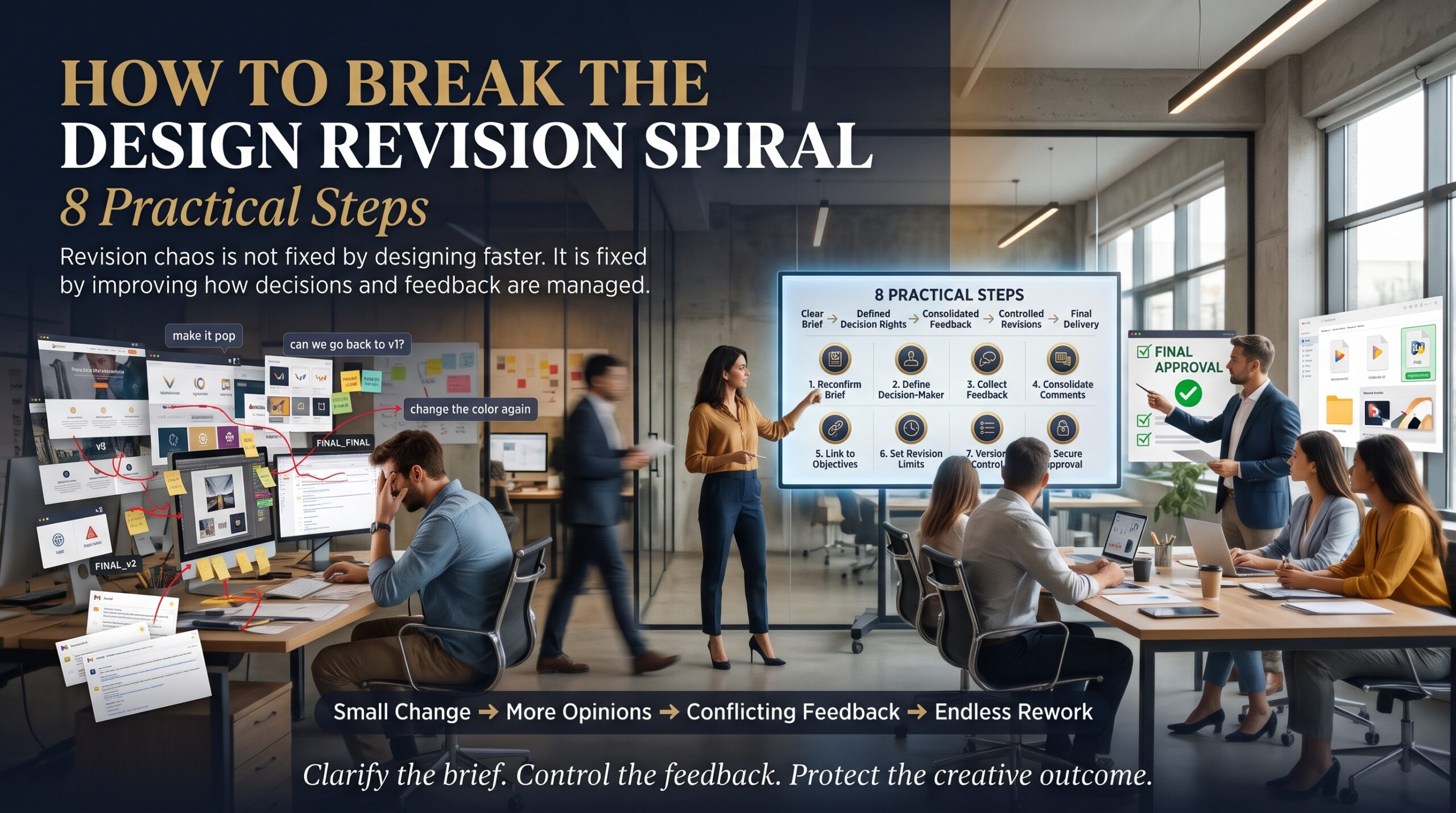
1. Write a one-page brief and get it signed off
Include the goal, audience, key message, format sizes, deadline and who approves. Keep it short enough that people will actually read it.
2. Define the number of revision rounds
State how many rounds are included and what counts as a revision versus new work. Government guidance at business.gov.au can help small businesses think through contracts and scope, though a lawyer should review anything important.
3. Nominate one decision maker
Collect feedback from the team, but let one person consolidate it into a single list. This alone removes a large share of contradictory edits.
4. Ask for specific, reasoned feedback
Swap “I don’t like it” for “the headline is hard to read on the photo”. Reasoned feedback points to a fix and keeps discussion about the goal, not personal taste.
5. Show early, rough and often
Share sketches and low-fidelity layouts before polishing anything. Direction changes are cheap early and costly at the end.
6. Batch your feedback
One consolidated round beats five trickling emails. It lets the designer see how changes interact and protects earlier decisions.
7. Keep version control tidy
Use clear file names with dates, store approved versions separately and keep a short change log. When an old decision resurfaces, you can show exactly when and why it was made.
8. Build files that are easy to change
This is where technical skill pays off. Adobe publishes useful documentation on Adobe Help Centre, but guided, hands-on training shortens the learning curve a lot.
Software Skills That Shrink the Design Revision Spiral
Strong file structure is the quiet hero of fast revisions. In Photoshop, smart objects, adjustment layers and layer groups let you change an image without destroying earlier work. In Illustrator, global swatches, symbols and artboards update colours and elements across a whole project at once. In InDesign, paragraph styles, character styles, master pages and linked libraries mean one edit can flow through a 40-page document.
If you want to build these habits, you can start with the Photoshop beginner course, then move to the Photoshop intermediate course and Photoshop advanced course. For layout and print work, see the InDesign beginner course, the InDesign intermediate course and the InDesign advanced course. For logos and vector work, explore the Illustrator beginner course, the Illustrator intermediate course and the Illustrator advanced course. You can also compare them all on the graphic design courses page.
Graphic Design Training in Sydney, Melbourne, Brisbane, Perth, Adelaide and Canberra
Revision problems show up everywhere, from boutique agencies in Surry Hills to freelancers working from home in Brisbane. Training is available in person and live virtually, so you can learn at a pace that suits your work. Explore local options for Sydney, Melbourne, Brisbane, Perth, Adelaide and Canberra, or see the full locations page.
If you are also thinking about how design supports marketing, Logitrain offers a digital marketing course, and has city guides for IT training in Melbourne and Sydney. To learn more about how we teach, read about us, browse the FAQs or visit our blog.
Frequently Asked Questions About the Design Revision Spiral
What is the design revision spiral?
It is the pattern where one small change request leads to more and more follow-up changes, turning a simple project into many rounds of rework.
How many revisions should a design project include?
Many designers include two or three rounds, but it varies by project and contract. The important part is to agree the number upfront and to define what counts as new work.
How do I give better feedback to a graphic designer?
Refer to the brief, be specific about what is not working and why, consolidate comments from your team and avoid purely subjective phrases like “make it pop”.
How can designers reduce rework?
Use a clear brief, show rough concepts early, limit rounds, keep tidy version control and build files with styles, smart objects and global colours so changes are quick.
Which design course helps with faster revisions?
Intermediate and advanced Photoshop, InDesign and Illustrator courses cover the file-structure habits that make edits easier. The right level depends on your current skills.
Final Thoughts: Turn the Spiral Into a Straight Line
The design revision spiral is frustrating, but it is not inevitable. A clear brief, limited rounds, one decision maker and well-built files turn endless rework into a predictable process. Everyone gets better results, and the designer gets to spend time on design instead of damage control.
If you want to build the skills that make revisions faster, contact our team or call 1300 649 299. An adviser can help you choose the right course level for your needs.