

Design builds trust long before anyone reads a headline, compares a price or clicks a button. A visitor lands on a page, a customer opens a quote, a shopper picks up a box, and within moments they have already decided whether this feels safe. If it does, saying yes becomes easy. If it does not, no amount of clever copy can pull them back.
This guide explains why design builds trust, why good design makes people feel safer about saying yes, which design choices carry the most weight, and what skills a designer needs to apply them. If you want to build those skills, you can explore our graphic design courses and learn Adobe Photoshop, Illustrator and InDesign in practical, instructor-led classes.
Why Design Builds Trust Before Anyone Reads a Word
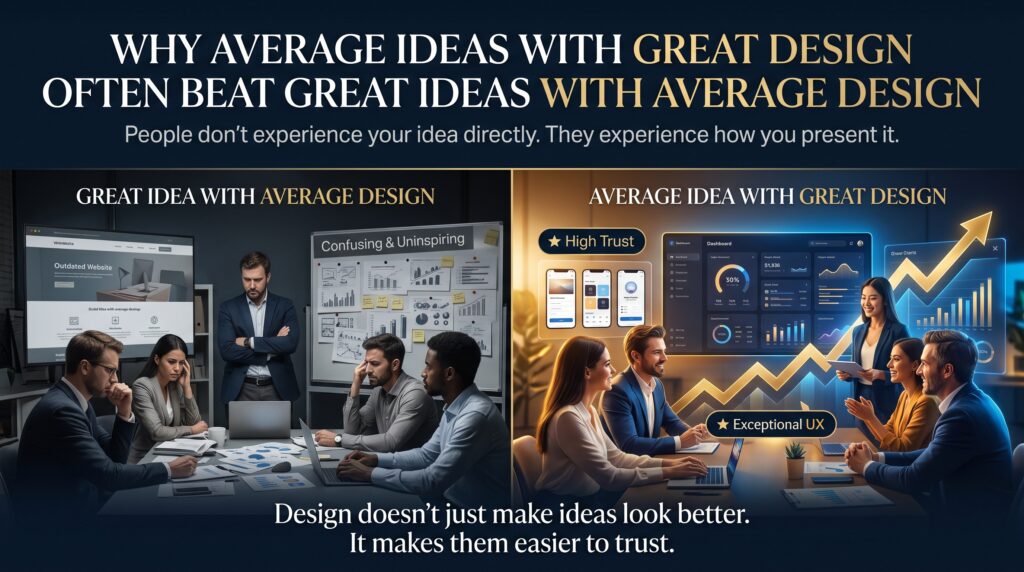
People judge visual quality almost instantly, and they use it as a shortcut for judging everything else. Researchers at Nielsen Norman Group describe this as the aesthetic-usability effect: users tend to perceive attractive interfaces as easier to use and more dependable, even when the functionality is identical. When something looks considered, we assume the people behind it are considered too.
A second force is cognitive fluency. When a layout is easy to scan, the brain does less work, and that ease is quietly interpreted as a good sign. Clutter, mismatched fonts and cramped text do the opposite. They create friction, and friction feels like risk. That is why design builds trust in a way that persuasion alone cannot: it lowers the effort of deciding, and low effort feels safe.
Saying Yes Feels Risky: The Four Fears Behind Every Decision
Every “yes”, whether it is a purchase, a sign-up, an enquiry or a signature, carries a small amount of perceived risk. Good design works by answering four silent questions before they become objections.
Am I Being Tricked?
Inconsistent branding, stretched images and sloppy alignment suggest carelessness, and carelessness suggests that corners are cut elsewhere. Consistent, polished visuals signal that a real, accountable organisation stands behind the offer. This is the first place design builds trust.
Will I Get Stuck?
Confusing navigation and unclear buttons make people worry they will not be able to finish, or undo a mistake. Clear hierarchy and obvious next steps reassure them that the path is short and reversible. Here again, design builds trust by removing uncertainty.
Will I Regret This?
Hidden costs and fine print trigger buyer’s remorse before the purchase even happens. Honest layout, readable terms and visible pricing reduce that fear, and that is how design builds trust in practice.
Will I Look Foolish?
People want to feel competent. Interfaces and documents that guide them step by step help them feel smart, and people say yes to things that make them feel capable. Design builds trust when it makes the user the hero of the experience.
7 Design Choices That Make People Feel Safer Saying Yes
1. A Clear Visual Hierarchy
Size, weight, colour and spacing tell the eye what matters first. When the most important message and action are obvious, visitors do not have to hunt, and design builds trust through that sense of control.
2. Consistent Typography and Brand Identity
Using one or two well-chosen typefaces, a defined colour palette and repeatable layout rules makes every touchpoint feel like part of the same reliable system. Consistency across a website, invoice, brochure and social post is one of the strongest trust signals a business can send, and it explains why design builds trust across every channel.
3. Generous Whitespace
Space is not emptiness. It gives content room to breathe and signals confidence. Crowded layouts feel desperate, while balanced spacing feels calm and professional. Whitespace is a quiet reason design builds trust.
4. Honest, High-Quality Imagery
Real photographs of real people, products and places beat generic stock images. Poorly cropped, pixelated or obviously staged visuals raise doubts, so sharp, relevant imagery that matches the message is worth the investment. Authentic visuals show how design builds trust through honesty.
5. Readable, Accessible Design
Strong colour contrast, adequate type size and clear focus states make content usable for everyone. The Web Content Accessibility Guidelines (WCAG) set the international benchmark, and meeting them tells people they were considered from the start. Accessibility is both an ethical standard and a trust signal.
6. Calm Colour and Confident Buttons
Colour carries meaning, but context matters more than rules. A restrained palette with one clear accent colour for the main action avoids the visual noise that makes people hesitate. Buttons should look clickable, say what will happen next and appear where the eye expects them.
7. Helpful Microcopy and Error States
Small design details such as form labels, confirmation messages and friendly error notes reduce anxiety at the exact moment of commitment. A well-designed error message that explains how to fix a problem reassures the user that the system is on their side.
How Design Builds Trust: The Signals the Brain Reads
| Design Element | What It Signals | Risky Version | Trusted Version |
| Typography | Care and professionalism | Five fonts, tiny grey text | One or two fonts, clear sizes |
| Layout | Control and clarity | Crowded, uneven alignment | Grid-based with whitespace |
| Imagery | Authenticity | Blurry or generic stock | Sharp, relevant, original |
| Colour | Consistency | Random, clashing colours | Defined palette, one accent |
| Buttons and forms | Safety and ease | Vague labels, hidden steps | Clear labels, visible progress |
| Accessibility | Respect for everyone | Low contrast, small text | WCAG-aligned contrast and size |
A Simple Before and After Example
Imagine a local electrician who sends quotes as a plain email with mismatched fonts and a blurry logo. The work is excellent, but the first impression says disorganised. Now imagine the same quote on a clean, branded template with clear line items, a visible total, a short guarantee and a single “Accept” button. Nothing about the service has changed, yet the second version feels safer, and more people say yes.
This small shift is the practical meaning of the phrase “design builds trust”. It does not replace a good product or fair pricing. It makes sure those strengths are visible at the moment someone decides.
Common Design Mistakes That Make People Hesitate
Using too many fonts, colours or effects in one layout. Hiding the main call to action among competing links. Choosing light grey text on a white background for style. Relying on obvious stock photography. Forgetting to test on a phone, where most first visits now happen. Treating accessibility as an afterthought. Each one breaks a promise the brand is trying to make, and each is easy to fix once a designer knows what to look for.
Fixing these issues is rarely about adding more. It is about removing noise, so that the message and the next step become obvious. That discipline is a core part of any serious graphic design course, and it is the reason design builds trust when it is done well.
Where Design Builds Trust Most Powerfully
Websites and landing pages. Visitors judge credibility in seconds, so layout and visual polish directly affect enquiry and sign-up rates.
Checkout and forms. Short, well-labelled forms with visible progress and clear reassurance near the payment step reduce abandonment.
Quotes, proposals and invoices. A tidy, branded document makes a business look established. Designed in Adobe InDesign or Illustrator, these documents can lift trust at the moment of decision.
Packaging and print. Physical design is a promise. Clean typography and quality finishes tell customers that the contents are worth their money.
Social and advertising. Consistent visuals across ads and profiles help a new audience recognise and trust a brand quickly.
The Design Skills Behind Trust
Trust-focused design is a learnable craft. It combines layout and grid knowledge, typography, colour theory, image editing and an understanding of how people read and decide. Industry-standard software is where those skills turn into finished work.
Start with the Adobe Photoshop Beginner course to master image editing and retouching, then extend your skills with the Photoshop Intermediate course. Learn logo and vector artwork in the Adobe Illustrator Beginner course, and build layouts for brochures, proposals and publications in the Adobe InDesign Beginner course. If you are mapping a career path, read our guide on how to become a graphic designer in Australia.
The professional community matters too. The Australian Graphic Design Association (AGDA) offers industry insight and standards, and Jobs and Skills Australia publishes data on occupations and skills in demand.
Where Design Skills Are in Demand: Australian Cities
| City | Where Trust-Focused Design Is Needed | Training Option |
| Sydney | Agencies, ecommerce, finance, tourism marketing | Graphic design courses in Sydney |
| Melbourne | Creative studios, publishing, retail, arts and events | Graphic design courses in Melbourne |
| Brisbane | Hospitality, tourism, property, government communications | Graphic design courses in Brisbane |
| Perth | Resources, engineering and corporate communications | Graphic design courses in Perth |
| Adelaide | Education, health, food and wine, small business branding | Graphic design courses in Adelaide |
| Canberra | Government, policy communication, accessible public design | Graphic design courses in Canberra |
Study durations range from one day to four weeks, so you can start building a portfolio quickly and apply what you learn straight away. Logitrain also offers wider IT and design training options.
A Quick Trust Audit You Can Run Today
Open your website, proposal or packaging and ask seven questions. Can someone find the main message in three seconds? Are fonts and colours consistent? Is text easy to read on a phone? Are images sharp and genuine? Is the main button obvious? Does every form explain what happens next? Would a stranger feel comfortable handing over money or details here? Every “no” is a design opportunity, and each fix helps design build trust with the next visitor.
Frequently Asked Questions About Design and Trust
Why Design Builds Trust With Customers
Design builds trust by signalling care, consistency and clarity. Visual polish makes people assume a business is reliable, and easy layouts reduce the effort and fear involved in making a decision.
What is the aesthetic-usability effect?
It is the tendency for people to see attractive designs as more usable and trustworthy, even when functionality is the same.
Does good design really increase conversions?
It often helps, because clear hierarchy, readable text and obvious actions remove friction. Results depend on audience and offer, so testing remains important.
Which software should I learn first?
Most beginners start with Adobe Photoshop for images, then Illustrator for logos and vector work, and InDesign for layouts and print documents.
Do I need a design degree to work in graphic design?
No. Employers value a strong portfolio and practical software skills, and short courses can build both quickly.
Are graphic design courses available in my city?
Courses are available for learners across Australia, including Sydney, Melbourne, Brisbane, Perth, Adelaide and Canberra. Contact the team for current delivery options.
Final Thoughts: Make Yes the Easy Answer
People rarely say yes because they were pushed. They say yes because nothing felt wrong. Thoughtful typography, clear structure, honest imagery and accessible layouts remove the small doubts that stand in the way. That is why design builds trust, and why the designers who understand it are so valuable.
Ready to build those skills? Browse our graphic design courses and take the first step toward designing work that people feel safe saying yes to.